Targeting specific Google Calendar(s)
Evolution FMS will target your PRIMARY Google Calendar as default.
If you want to target a different or multiple calendar(s) then there are two options available:
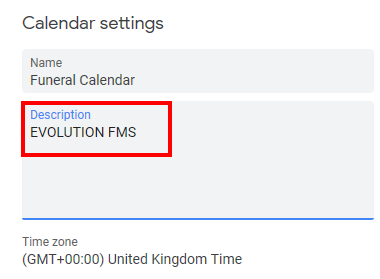
Targeting a single calendar (other than your primary calendar) – Edit the SETTINGS of your calendar and in the DESCRIPTION box enter the phrase EVOLUTION FMS. This calendar will then be targetted with funeral events instead of your primary calendar.
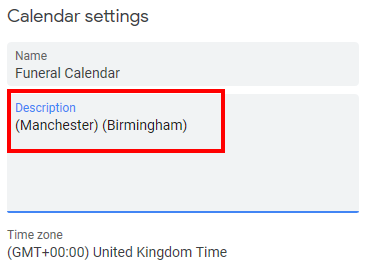
Targeting multiple calendars for different branches – Edit the SETTINGS of your calendar and in the DESCRIPTION field enter the branch name (short name) enclosed in round brackets. i.e. (Manchester). This calendar will then be targetted with funeral events for those branches. Multiple branch names can be entered if required. Please note that the calendar DESCRIPTION field has to be edited by the owner and the linked calendar has to have MAKE CHANGED TO EVENTS permission to any calendar used.